

Why headquarters security is fundamentally different
Headquarters facilities are not just “larger offices.” They function as strategic centers for leadership, intellectual property, financial operations, and brand reputation. Unlike remote branches or satellite offices, an HQ concentrates people, data, and decision-making in a single environment, which naturally increases risk.
At the same time, headquarters locations are expected to feel open and professional. They host executive meetings, customer visits, recruiting events, and daily collaboration across departments. This creates a built-in tension between accessibility and control. Too much security feels restrictive and harms culture. Too little security creates blind spots that only become obvious after an incident.
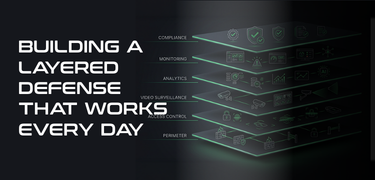
A well-designed headquarters security program resolves this tension by using layered protection. Instead of relying on a single control or team, security responsibilities are distributed across physical design, technology, policy, and response procedures. Each layer supports the others, creating resilience instead of friction.
The foundation: defining what “secure” actually means for your HQ
Before any cameras are installed or access systems upgraded, organizations need to define what security success looks like in practical terms. Without this step, security programs often become reactive, inconsistent, and difficult to manage over time.
Mapping what truly needs protection
Not every space inside a headquarters facility carries the same level of risk. A common mistake is treating all areas equally, which wastes resources while still leaving critical assets exposed.
In most corporate headquarters environments, the highest-impact targets tend to include:
- Executive and board areas where sensitive discussions occur
- Research, development, or engineering spaces that contain intellectual property
- IT rooms, network closets, and communications infrastructure
- Human resources and finance departments that handle personal and financial data
- Shipping, receiving, and mailroom areas where external access is frequent
Identifying these areas early allows security controls to be applied intentionally rather than uniformly.
Creating risk tiers for physical spaces
Once sensitive areas are identified, spaces should be grouped into risk tiers. This gives structure to access rules, monitoring expectations, and response procedures.
A practical tiering model might include:
- Public areas, such as lobbies and visitor restrooms
- Controlled areas, including general employee workspaces
- Restricted areas, such as HR, finance, or engineering departments
- High-security areas, including data rooms or sensitive R&D
- Critical areas, where disruption would halt operations entirely
This approach simplifies decision-making. Instead of debating security requirements for every room, teams apply consistent standards based on the tier.
Assigning ownership and accountability
Security programs often struggle because responsibility is unclear. Physical security touches multiple departments, and without defined ownership, gaps appear quickly.
Clear accountability typically includes:
- Facilities teams owning doors, locks, lighting, and physical maintenance
- IT teams managing networks, identities, and system access
- Security teams overseeing policies, monitoring, and investigations
- HR managing onboarding, offboarding, and credential lifecycle
- Executive leadership setting risk tolerance and funding priorities
Security becomes sustainable when ownership is explicit rather than implied.
The layered security model: protecting the campus from the outside in
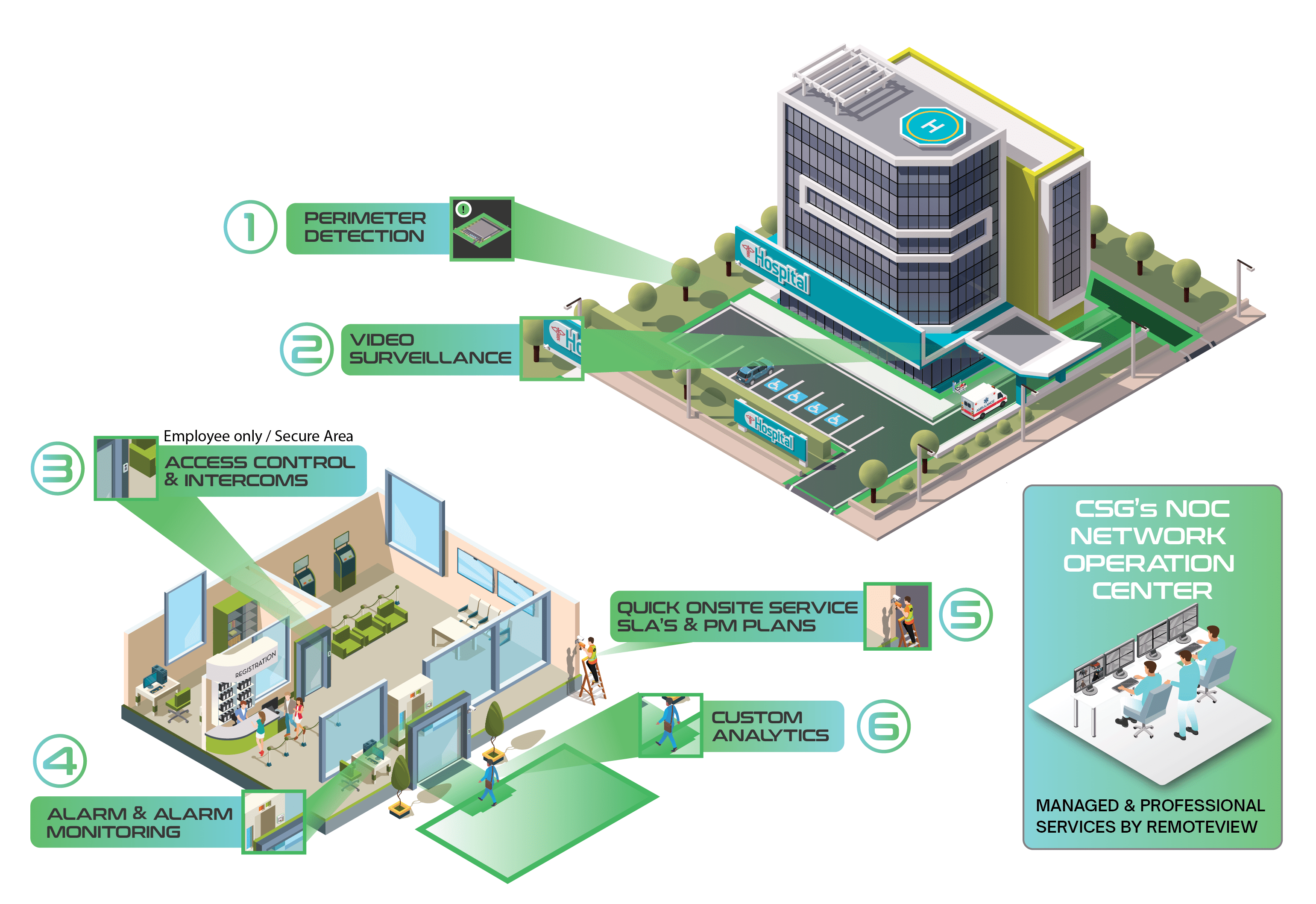
Layered security works by addressing risk progressively as someone moves closer to sensitive areas. Each layer is designed to deter inappropriate behavior, detect anomalies early, and give teams time to respond.
Effective perimeter strategies often include:
- Clearly defined vehicle and pedestrian entry paths
- Separation between visitor parking and employee or service areas
- Lighting designed for identification, not just visibility
- Camera coverage that captures approaches before people reach doors
This layer is especially important for headquarters locations with public visibility, executive presence, or frequent deliveries.
- Eliminating blind spots through overlapping lighting and camera views
- Designing walkways that naturally increase visibility
- Monitoring stairwells and garage access points
- Defining which access doors remain active after hours
When parking and walkway security is ignored, organizations often discover problems only after repeated incidents.
Strong controls at this layer include:
- Monitoring for forced and held-open door events
- Limiting unmanaged mechanical keys
- Alarm coverage for low-traffic entrances
- Camera placement that captures both the approach and the door itself
These controls help catch issues early, before someone reaches interior spaces.
Effective lobby programs typically include:
- A single, obvious visitor entry path
- Physical separation between public and employee areas
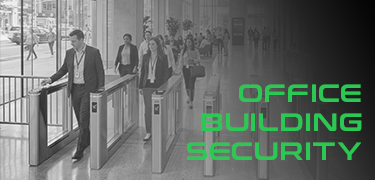
- Badge-controlled access beyond reception
- Visitor management processes that document who is on site and why
When lobby workflows are inconsistent, unauthorized access often occurs through simple social engineering.
Common zoning strategies include:
- Department-based access groupings
- Always-restricted IT and infrastructure spaces
- Enhanced controls for executive and leadership areas
- Conference room access that does not expose full office floors
Tailgating prevention becomes especially important here. Technology helps, but employee awareness and consistent enforcement matter just as much.
Controls commonly include:
- Multi-factor physical authentication
- Strict escort requirements for non-employees
- Camera coverage tied directly to access events
- Detailed logging and regular review
The goal is not only prevention, but also the ability to clearly reconstruct events if something goes wrong.
Stabilizing practices include:
- Time-limited credentials
- Scheduled access windows
- Alerts for unusual door activity
- Regular reviews of after-hours access patterns
When exceptions are unmanaged, they quickly become the norm.
Why integration matters more than individual tools
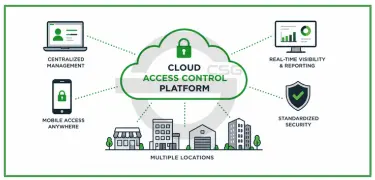
Most headquarters facilities operate multiple disconnected systems: access control, video surveillance, alarms, visitor management, and intercoms. When these systems operate in silos, security teams lose context.
Integration allows teams to understand what happened, where, and who was involved without jumping between platforms. This improves response time, reduces error, and simplifies investigations.
A well-integrated system should:
- Automatically link access events to relevant camera footage
- Maintain consistent identity records across systems
- Standardize alert prioritization and escalation
- Support clean evidence export and documentation
Could possibly add provide one pane of glass, or one space to view all that matters.
Without integration, even advanced tools underperform.
Cyber considerations for physical security systems
Physical security systems are networked systems, whether organizations treat them that way or not. Cameras, controllers, and management platforms often connect to core infrastructure.
Poor cyber hygiene in physical security can undermine both physical and digital defenses.
Baseline practices should include:
- Network segmentation for security devices
- Multi-factor authentication for system access
- Regular firmware and software updates
- Removal of default credentials
- Centralized logging where feasible
Treating physical security as part of the broader IT environment reduces risk and improves reliability.
Using environmental design to reduce incidents quietly
Not all security measures need to be visible. Environmental design can shape behavior in subtle but effective ways.
In headquarters environments, this often means:
- Landscaping that preserves visibility rather than creating hiding spots
- Entrances positioned to encourage natural observation
- Clear cues that distinguish public from private space
- Strong maintenance practices that reinforce order and control
These measures reduce risk without adding checkpoints or friction.
Measuring effectiveness with meaningful KPIs
Security programs improve when they are measured correctly. Counting cameras or doors does not show whether risk is actually decreasing.
Effective headquarters security metrics focus on behavior, response, and reliability.
Examples include:
- Frequency of forced or propped doors
- Badge misuse or exception trends
- Visitor compliance rates
- False alarm frequency
- Time to acknowledge and resolve incidents
- Device uptime and system health
- Readiness of evidence during investigations
These metrics help leaders understand where the program is working and where it needs adjustment.
Testing, audits, and continuous improvement
Security is not static. Facilities change, staff turnover occurs, and threat patterns evolve.
A simple but consistent review cadence helps maintain control:
- Monthly equipment and alert reviews
- Quarterly access and exception audits
- Semi-annual response exercises
- Annual risk assessments and roadmap updates
Testing reveals weaknesses before incidents do.










.png)


