The five hidden costs of video surveillance are equipment lock-in, recurring contract and storage charges, service delays, unmanaged devices, and time spent searching footage. Before replacing your system, compare what it costs to operate and which existing equipment you can keep.
The examples below illustrate what to look for. They are not price estimates or claims about every surveillance system.
1. Proprietary platforms can limit your choices
The hidden cost: You may have to replace working equipment or pay for an integration just to change providers or add a capability.
A proprietary platform can tie cameras, software, storage, and upgrades to one manufacturer. An open platform can offer more choice, but the label alone does not guarantee that every camera or feature will work.
For example: A business wants to change its video management software while keeping its cameras. If the new software cannot support those camera models or the features the business needs, the upgrade may also require hardware replacement.
What to check: Ask for a written compatibility check covering your camera models, firmware, recording, audio, and analytics. Confirm how you can export footage and what remains usable when a subscription or service agreement ends.
2. Contracts, licenses, and storage can raise the ongoing bill
The hidden cost: A low installation price may leave out recurring charges that grow as you add cameras, retain more footage, or enable features.
Compare the full cost over the same period, such as five years. Include equipment, installation, subscriptions, storage, maintenance, expected replacements, and staff time. Separate committed charges from estimates and optional services.
Storage depends on how much video you record and how long you keep it. More cameras, higher recording bitrates, and longer retention generally require more capacity. Recording continuously instead of only on events can also increase storage needs. Resolution, frame rate, and compression affect the amount of video data produced.
Cloud plans may price these choices differently, while local recording may require additional drives or recorders. Remote viewing and cloud uploads also depend on available internet capacity. Ask what your chosen settings require at each location.
For example: Two quotes cover the same 20 cameras, but one includes 30 days of recorded video and the other includes 90. Compare both at the retention period you actually need before deciding which costs less. Retention means how long footage remains available before it is overwritten or deleted.
What to check: Get a breakdown of per-camera licenses, storage, analytics, updates, support, and added users or sites. Review renewal dates, cancellation terms, price increases, and access to footage after cancellation. Confirm which charges change when your requirements change.
3. Slow service can leave important cameras offline
The hidden cost: Downtime creates gaps in coverage and uses staff time while your team reports, follows up on, and works around the problem.
A service agreement should explain who diagnoses faults, when on-site help is available, and which parts and labor are covered. A promised response time is not necessarily a promised repair time.
For example: An entrance camera stops recording on Friday evening. A plan that accepts support tickets around the clock may still schedule repairs only during business hours. The distinction matters if that entrance needs continuous coverage.
What to check: Confirm support hours, response commitments, escalation contacts, replacement availability, and travel or emergency-service charges. Ask how the provider supports each of your locations.
4. Unmanaged devices create avoidable work
The hidden cost: Your team takes on routine maintenance, and recording problems may go unnoticed until someone needs the footage.
Seeing a live camera image does not prove that video is being recorded or retained correctly. Someone needs to check camera connectivity, recording, storage health, updates, and user access. Managed service proposals should state which of these tasks are included and who resolves problems.
For example: A camera still displays a live view, but its recorder has stopped saving footage. A live-view check alone would miss the problem. Recording-health checks and playback tests help identify that gap.
What to check: Ask which failures trigger alerts, who receives them, how issues are tracked to resolution, and which maintenance tasks remain with your staff.
System-health monitoring checks whether equipment is working. Video verification is a separate service that reviews qualifying alarms using video. Confirm the scope and hours of each service.
5. Limited analytics can slow investigations
The hidden cost: Staff spend time reviewing irrelevant alerts and searching recordings manually.
Analytics are software features that help identify events or narrow a video search. Their usefulness depends on camera placement, image quality, configuration, and the situations you need to investigate. A feature list alone does not show how well they will work at your site.
For example: If you need to find a vehicle entering a loading area, a search by object type and location may narrow the review. Test that task using representative footage and compare the time and steps required with your current process.
What to check: Request a demonstration of your actual use cases. Confirm which features require extra licenses, compatible cameras, or additional processing hardware, and who tunes alerts after installation.
For financial institutions, ask whether compatible ATM or ITM transaction records can be linked to video. Confirm exactly which information is available and how staff retrieve it.
Compare proposals using the same requirements
Ask each provider to price the same scope. Use this checklist to identify missing costs and differences in coverage:
- Equipment: Camera count and models, reusable equipment, replacements, installation, and network work.
- Recording: Image quality, recording schedule, retention period, storage location, and footage export.
- Recurring fees: Software, storage, analytics, updates, extra users, and additional locations.
- Support: Service hours, response commitments, parts, labor, travel, and emergency charges.
- Responsibilities: Who checks recording health, handles updates, manages access, and resolves alerts.
- Contract terms: Renewal, cancellation, price changes, equipment ownership, and footage access when service ends.
- Total cost: Upfront costs plus recurring charges, maintenance, replacements, and internal staff time over the same comparison period.
For a simple comparison, calculate: upfront costs + recurring costs over the chosen period + estimated maintenance, replacements, and staff time. Identify items already included in the agreement so you do not count them twice. Keep uncertain costs visible rather than treating them as zero.
Review your current system before replacing it
Start with an inventory of your equipment, licenses, and agreements. List recent outages, recurring expenses, and tasks that take too long. Then compare keeping the current system, upgrading specific components, and replacing it.
A targeted upgrade may be enough when cameras still provide useful images and support the required software. Replacement may make more sense when equipment is unsupported, unreliable, or unable to meet your recording needs. Ask the provider to explain what can stay, what must change, and why.
A Cook customer’s experience at Providence Park
In Cook Solutions Group’s published customer testimonial, Jim McCausland, Director of Security for the Portland Timbers at Providence Park, describes how Piko makes managing cameras and reviewing footage easier.
That is a useful test for your own evaluation: have the people who use the system demonstrate how they find, review, and export footage. Easier day-to-day work matters alongside equipment and subscription costs.
How Cook Solutions Group can help
Cook Solutions Group provides video surveillance system design, installation, maintenance, and managed services. We help organizations assess their current environment and identify compatible options for improvement.
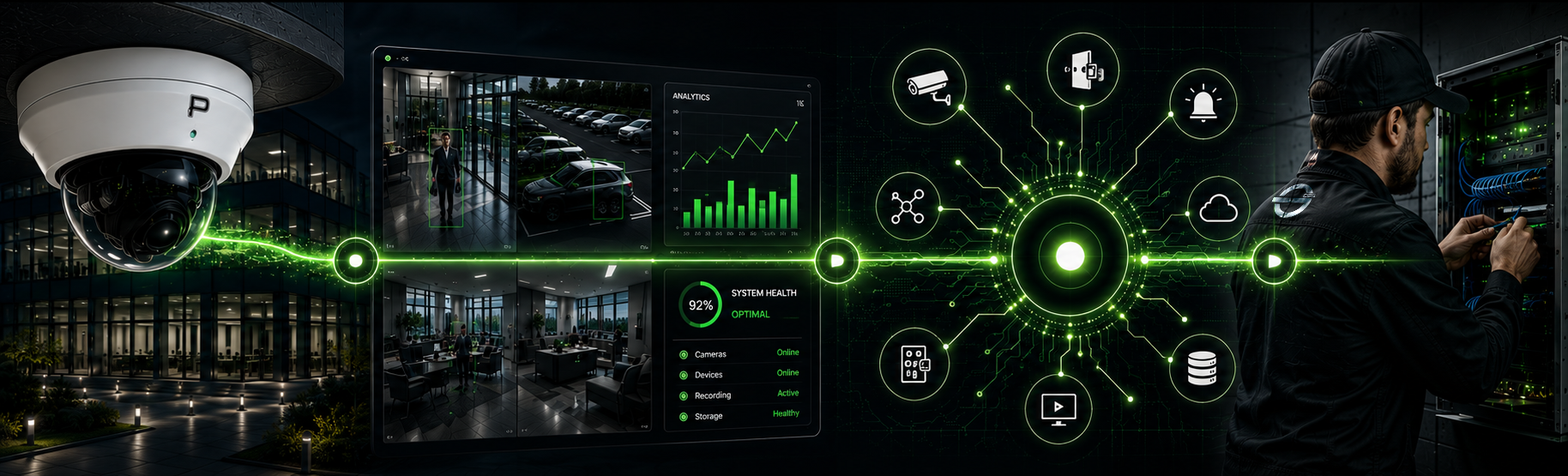
Our Piko Unified Security Platform supports video management and integrations with compatible security technologies. The right approach depends on the cameras you have, the information your team needs, and the support required across your locations.


.png)